
UNDETECTED • WORKING
Deadside Hacks & Cheats 2026
Most deaths in Deadside come from something you never saw – a geared player watching the same military base you are looting, AI bandits pulled by your gunfire, an ambush waiting on the road out. Our Deadside cheats close that gap: players and AI drawn on screen with distance, aim help tuned for the weapons you actually find, and loot markers that separate a convoy case from a scrap pile before you walk in. Works on official and community servers, solo or with your squad.
Deadside Cheats Features
| Aim | Visuals | World ESP |
|---|---|---|
 Enable Aimbot Enable Aimbot |
Visibility Check |
Items ESP |
| Keybind |
Fill Box |
Resources ESP |
| Aim Mode |
Bounding Box |
Convoy Case ESP |
| Corpse ESP |
Skeleton |
Battle Mode |
| Smoothness |
Name |
Off-Screen Arrows |
| Bones |
Distance |
Max Distance |
| FOV Size |
Health Bar |
|
| Draw FOV Background |
Line To Enemy |
|
| Aim On NPC |
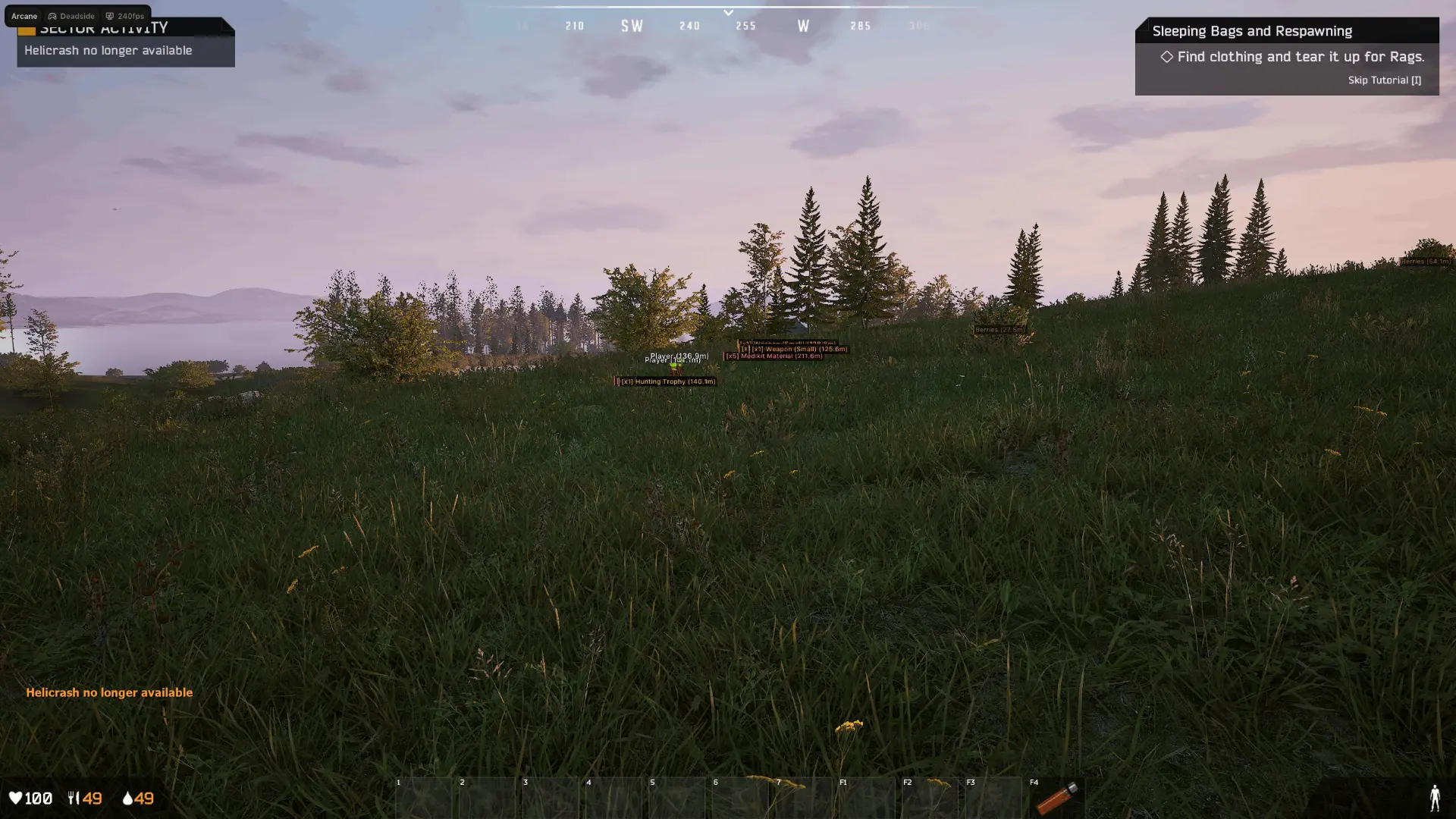
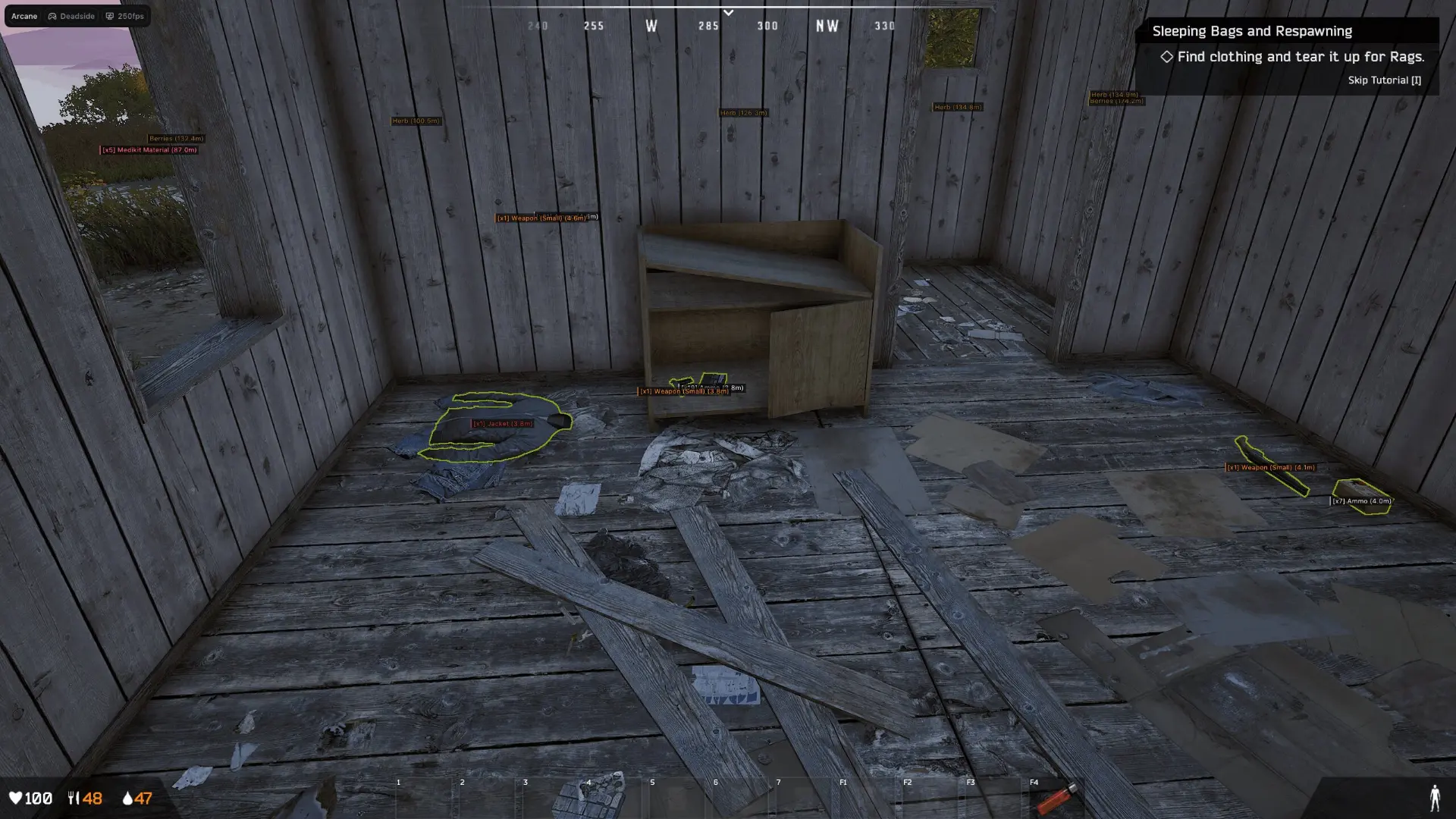
Deadside Hack Screenshots
Why Deadside is easier with Hacks
A Deadside run can end in seconds. One firefight pulls every player in the area toward the sound, the AI closes in behind you, and a single lost fight costs the whole loadout and every hour of looting behind it. On a map this size, information beats fast hands.
- Players prone in treelines and long grass are almost impossible to spot
- Bullet drop makes every shot past 200 metres a guess
- Another squad reaches the military base while you are still looting it
- Knowing where the players and AI stand turns every push into a decision instead of a gamble
- Recoil and sudden close-range contacts shred steady aim
Our Deadside hacks target exactly those pain points, with adjustable aim assistance and layered player, AI and loot visuals.
Read every fight before it starts. See player and AI positions at a glance. Tune the aimbot down to the last detail.
Deadside Hack System Requirements
- Designed for Deadside on Windows PC.
- The deadside hack works on Windows 10 and Windows 11.
- Supports Intel and AMD processors.
- Borderless and windowed display modes are supported.
- Setup instructions for the deadside hack are provided after purchase.
- Works on Steam.
How safe is your Deadside hack?
Deadside ships with EasyAntiCheat guarding it, one of the most established setups in online survival play. EAC pairs a kernel-mode driver with server-side review that looks for injected DLLs, patched functions and flagged signatures. That is exactly why we built our cheat as a strictly external tool: nothing is ever injected, no module is attached to the game, and not one byte of its memory gets altered. Everything is read from outside the process over encrypted kernel handles instead, so the client EAC inspects is a clean one - no unknown modules, no hooks, no touched memory.
The behavioral side is covered too. With a tight FOV Size the aim only engages what is already in front of you, Smoothnessness keeps the movement human, and the visibility check stops it reaching through walls. To be completely honest: no cheat is 100% undetectable - EAC keeps evolving its detection, so nothing stays invisible forever. Even with that said, a read-only external build running humanized aim keeps the risk at the practical floor. We follow every EAC and Deadside patch, rebuild as soon as one lands, and the status page always reflects the current detection picture before you launch.
👁️ Deadside ESP - Players, AI and Loot
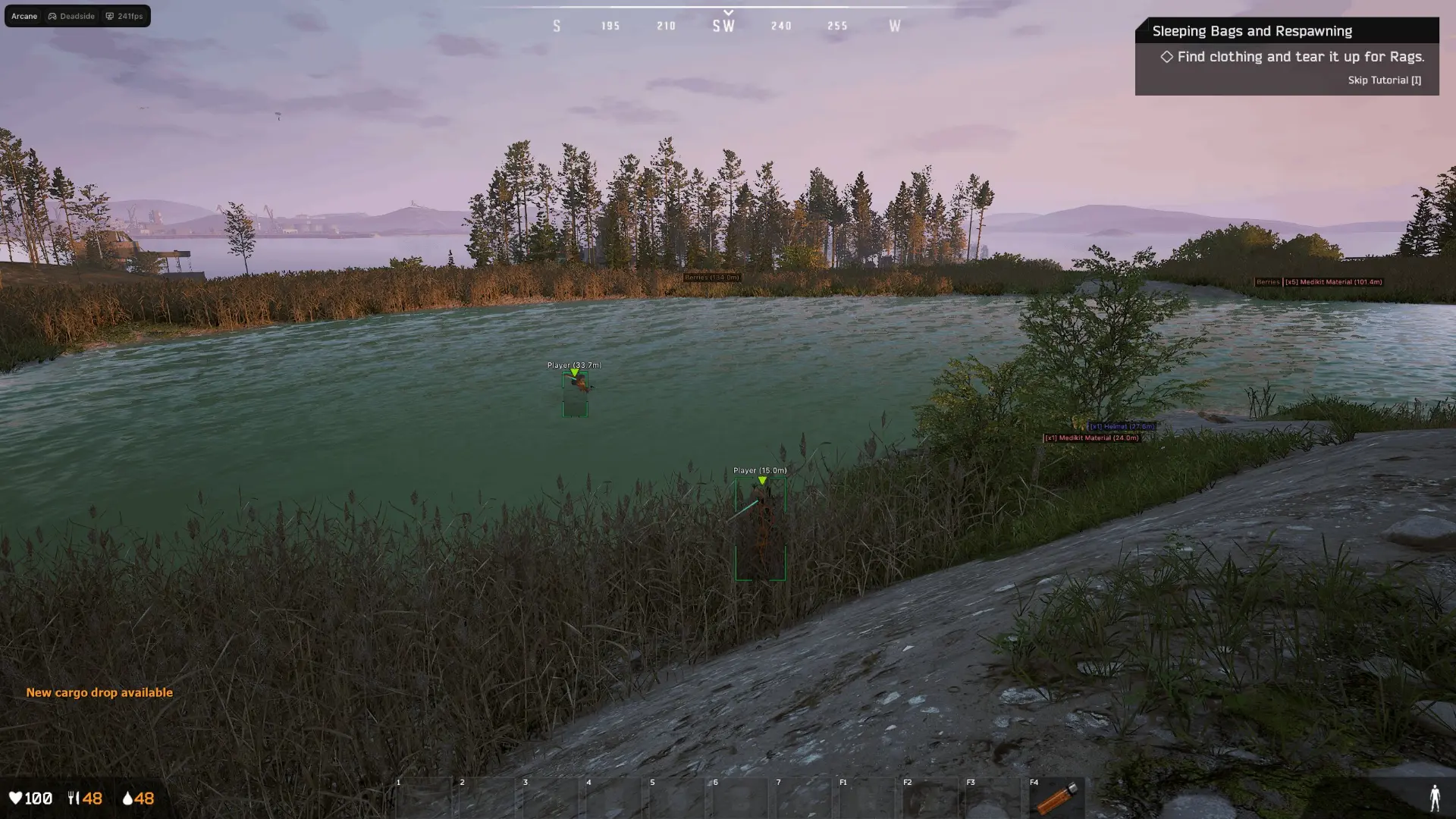
In Deadside, knowing who else is at the same base decides a fight long before aim does. The ESP draws every player and AI with a box, skeleton, name and distance - corpses included - so reading a contact costs almost no attention.
ESP & Visual Features
• Visibility Check – Only highlight players you can actually see.
• Fill Box – Shade every target so it reads through grass and trees.
• Bounding Box – Box every player and bandit cleanly at any range.
• Skeleton – Draw full skeletons so you can read stance and movement.
• Name – Show each player name above the target.
• Distance – Print the exact distance to every target.
• Health Bar – Mark corpses so you can find the loot you dropped.
• Line To Enemy – Render lines to targets so positioning reads instantly.
🎯 Deadside Enable Aimbot - Custom Aim Control
Deadside swings between room-by-room base clears and long shots across open ground, so one aim setup never fits every situation. The Enable Aimbot gives you aim modes, bone choice, FOV sizing, smoothness and a separate toggle for AI, each tunable to whatever weapon you found.
Aim Features
- Enable Aimbot – Toggle aim assistance on or off.
- Keybind – Bind the aim to whichever key suits you.
- Bones – Pick which bone the aimbot targets.
- FOV Size – Set how wide the aim field of view reaches.
- Draw FOV Background – Show the FOV border and background on screen.
- Aim Mode – Pick between aim modes to suit the fight.
- Corpse ESP – Include AI bandits as valid targets.
- Smoothness – Ease the aim onto target instead of snapping.
- Aim On NPC – Cap how far the aimbot will engage.
⚡ Deadside Battle Mode & Off-Screen Arrows
Battle Mode takes the one thing that makes an overlay obvious out of the equation: on a keybind the whole ESP drops away, so your screen is clean the moment someone is watching over your shoulder.
Off-Screen Arrows work at the edges instead, pointing at contacts you have not turned toward yet. Run them together for full awareness, or enable them one at a time depending on how legit you want to look.
🧩 Deadside Item & Loot ESP
Beyond the players themselves, the overlay reads the loot: weapons by size, ammo, clothing, consumables, resources and tools, right down to convoy cases, money and hunting trophies - each with a count and a distance, so you know if a building is worth the risk.
World ESP Features
- Items ESP – Show weapons, ammo, clothing and consumables through walls.
- Resources ESP – Surface resources, tools and repair kits worth carrying.
- Convoy Case ESP – Spot convoy cases, money and hunting trophies.
- Battle Mode – Hide the whole overlay on a single keybind.
- Off-Screen Arrows – Point arrows at contacts still off your screen.
- Max Distance – Set how far the overlay reaches.
FAQ - Deadside Hacks
Q: Which Windows versions do the Deadside hacks support?
A: Yes. Windows 10 and Windows 11 are both supported. After a big Deadside or Windows update, refresh the loader and glance at the status page.
Q: What happens when Deadside gets patched?
A: Usually, nothing breaks! Most game patches are absorbed silently by the auto-updater. Every now and then a rebuilt loader with new fixes or features is released, and that one needs a fresh download. Do a quick status check on our site before each session.
Q: When do I get access after paying?
A: Access unlocks by itself the second your payment clears. The activation key and loader wait in your account dashboard and your inbox, so you are in-game within minutes.
Q: Can I get help installing the Deadside hack?
A: Yes. Installation support is completely free. If the loader misbehaves or an install step trips you up, our support staff stay with you until it is running.